What Is BISP Wallet Code 2262? How to Activate Your Benazir Digital Wallet
Many beneficiaries are asking a simple question: What is BISP Wallet Code 2262? If you have received a message or heard about 2262, this guide will explain what it means, why it matters, and how you can activate your Benazir Digital Wallet in very easy words.
The Benazir Digital Wallet is designed to give you direct access to your money, without agents, delays, or deductions. Understanding Wallet Code 2262 helps you stay informed, avoid scams, and receive your payment with confidence.
What Is BISP Wallet Code 2262? (Easy Explanation)
BISP Wallet Code 2262 is a short service code used by the Benazir Income Support Programme for digital wallet communication and verification. It helps the system identify eligible beneficiaries and guide them toward Benazir Digital Wallet activation.
Why Code 2262 Is Important
-
Confirms official BISP digital process
-
Helps in wallet-related messages
-
Reduces confusion and prevents fraud
-
Connects beneficiaries to digital payments
👉 If you see 2262 in official instructions, it means BISP is guiding you toward digital wallet use, not asking for money.
What Is the Benazir Digital Wallet?
The Benazir Digital Wallet is a SIM-based wallet linked to your CNIC. Once active, your BISP payments are sent directly to your mobile, where you can safely keep or withdraw the money.
Real Value for You
-
No long lines at payment centers
-
No middlemen or cuts
-
Money stays safe in your control
-
Easy for women, elderly, and rural families
This system gives you respect and independence, not just payment.
How to Activate Your Benazir Digital Wallet (Step-by-Step)
Activating your wallet is simple. You do not need high education or internet skills.
Step 1: Check Your SIM
Make sure you have a SIM registered on your own CNIC.
Step 2: CNIC Verification
If needed, visit your mobile network franchise for biometric verification.
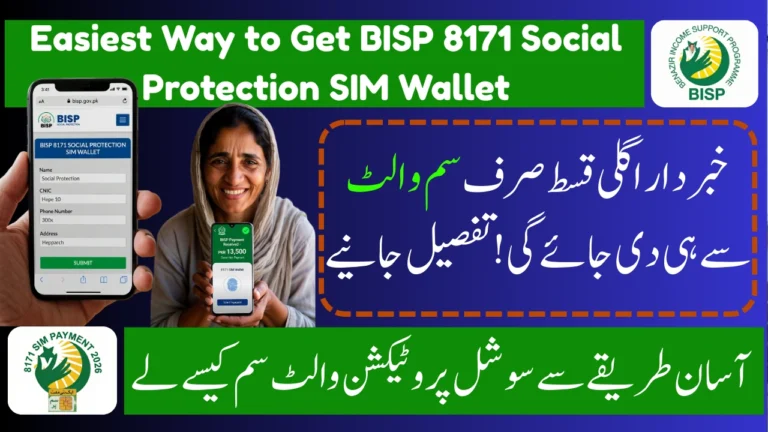
Step 3: Send CNIC to 8171
Type your CNIC number (without dashes) and send it to 8171.
Step 4: Follow Official Instructions
If BISP guides you using Wallet Code 2262, follow only official messages.
Step 5: Wallet Activated
Once approved, your Benazir Digital Wallet becomes active for payments.
How to Check Benazir Digital Wallet Status
You can check your wallet and payment status anytime:
-
SMS Method:
Send your CNIC to 8171 -
Online Method:
Use the official 8171 portal to view status
💡 Payments are sent phase-wise, so patience is important.
Common Mistakes to Avoid
-
❌ Do not share your CNIC or OTP
-
❌ Do not trust calls asking for money
-
❌ Do not reply to random numbers
-
✅ Trust messages only from 8171
Staying careful helps you protect your full payment.
Final Words – Why Knowing Code 2262 Helps You
Understanding BISP Wallet Code 2262 gives you clarity and confidence. It helps you recognize official BISP communication, activate your Benazir Digital Wallet, and receive payments without fear or confusion.
This knowledge saves time, protects your money, and gives you real control over your support. Always rely on official BISP channels and stay informed. This update may released officially later but not confirmed, Thanks
Frequently Asked Questions (FAQs)
1. What does BISP Wallet Code 2262 mean?
It is an official short code used by BISP for digital wallet guidance and communication.
2. Is Code 2262 used to deduct money?
No. BISP never charges any fee. Do not pay anyone.
3. How do I activate my Benazir Digital Wallet?
Use a CNIC-registered SIM, send your CNIC to 8171, and follow official instructions.