BISP Social Protection Wallet Program Apply Now – Here Is How to Get SIM
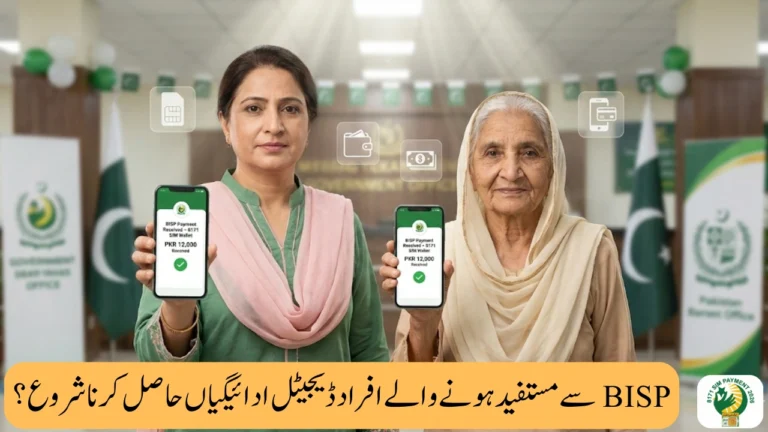
The BISP Social Protection Wallet Program is now open, giving eligible families a new, simple, and respectful way to receive financial support. Instead of waiting in lines or depending on payment centers, beneficiaries can now apply for the Social Protection Wallet and receive payments through a SIM-based digital system.
This program is designed to save time, protect dignity, and ensure full payment without cuts. Even if you are not highly educated, you can easily understand and follow the steps. If you or your family depends on BISP support, this guide will help you apply with confidence and get real value from the program.
What Is the BISP Social Protection Wallet Program?
The BISP Social Protection Wallet Program allows beneficiaries to receive their payments directly into a SIM Wallet linked with their CNIC. Once activated, payments are transferred digitally, making the process safe, fast, and transparent.
Why This Program Matters for You
-
No more long waits at payment centers
-
No agent, no deduction
-
Payments come directly to your SIM
-
Easy access for women, elderly, and rural families
This system gives people control over their own money, which is a big step toward financial dignity.
Who Can Apply for the BISP Social Protection Wallet?
You can apply if:
-
You are already registered with BISP
-
You have a valid CNIC
-
You do not have an active SIM Wallet yet
-
Your household qualifies under BISP criteria
👉 Even if you are unsure, it is worth checking, because many eligible people miss payments due to lack of information.
How to Get SIM for BISP Social Protection Wallet (Step-by-Step)
Getting a SIM for the BISP Social Protection Wallet Program is simple.
Step 1: Visit Mobile Network Franchise
Go to any authorized mobile network center (Jazz, Telenor, etc.).
Step 2: CNIC Verification
Ask for a SIM registered on your own CNIC. Biometric verification is required.
Step 3: SIM Activation
Once verified, your SIM will be activated for Social Protection Wallet use.
Step 4: Check Status via 8171
Send your CNIC number (without dashes) to 8171 to confirm eligibility and wallet readiness.
How Payments Are Released Through SIM Wallet
BISP sends payments in stages, depending on area and system readiness.
| Stage | What Happens |
|---|---|
| Wallet Activation | SIM linked with CNIC |
| Eligibility Check | CNIC verified via 8171 |
| Payment Release | Amount sent to SIM Wallet |
| Cash Access | Withdraw from authorized agent |
💡 You can withdraw cash when needed or keep money safe in your wallet.
Important Tips to Avoid Problems
-
Use only your own CNIC
-
Do not give your SIM to anyone
-
Ignore calls or messages not from 8171
-
Never pay money for wallet activation
These simple steps can protect your payment and your rights.
Final Words – Why This Program Gives Real Value
The BISP Social Protection Wallet Program is not just about money. It is about respect, ease, and security. By applying and getting a SIM the right way, you take control of your support without fear or confusion.
If you are eligible, apply now, get your SIM, and stay connected with official BISP updates. This small step can make a big difference for you and your family.