How to Open a BISP Social Protection SIM Wallet in Minutes – Official Method
Opening a BISP Social Protection SIM Wallet is now fast and simple. You do not need agents. You do not need long forms. You only need the official method and correct information.
This guide is written in very easy language. Every step is clear. After reading this, you will know exactly what to do and how to protect your payment. This information gives you real value, not confusion.
What Is a BISP Social Protection SIM Wallet?
The BISP Social Protection SIM Wallet is a digital wallet.
It works on a mobile SIM.
Your SIM must be:
-
Registered on your own CNIC
-
Active and verified
BISP sends your money directly to this wallet.
There are no cash centers and no deductions.
Who Can Open a BISP Social Protection SIM Wallet?
You can open the wallet if:
-
You are an approved BISP beneficiary
-
Your CNIC is valid
-
Your SIM is registered on your CNIC
-
Your data is verified through 8171
If one thing is missing, activation may be delayed.
Official Method: Open BISP SIM Wallet in Minutes
Follow these steps carefully.
This is the only official method.
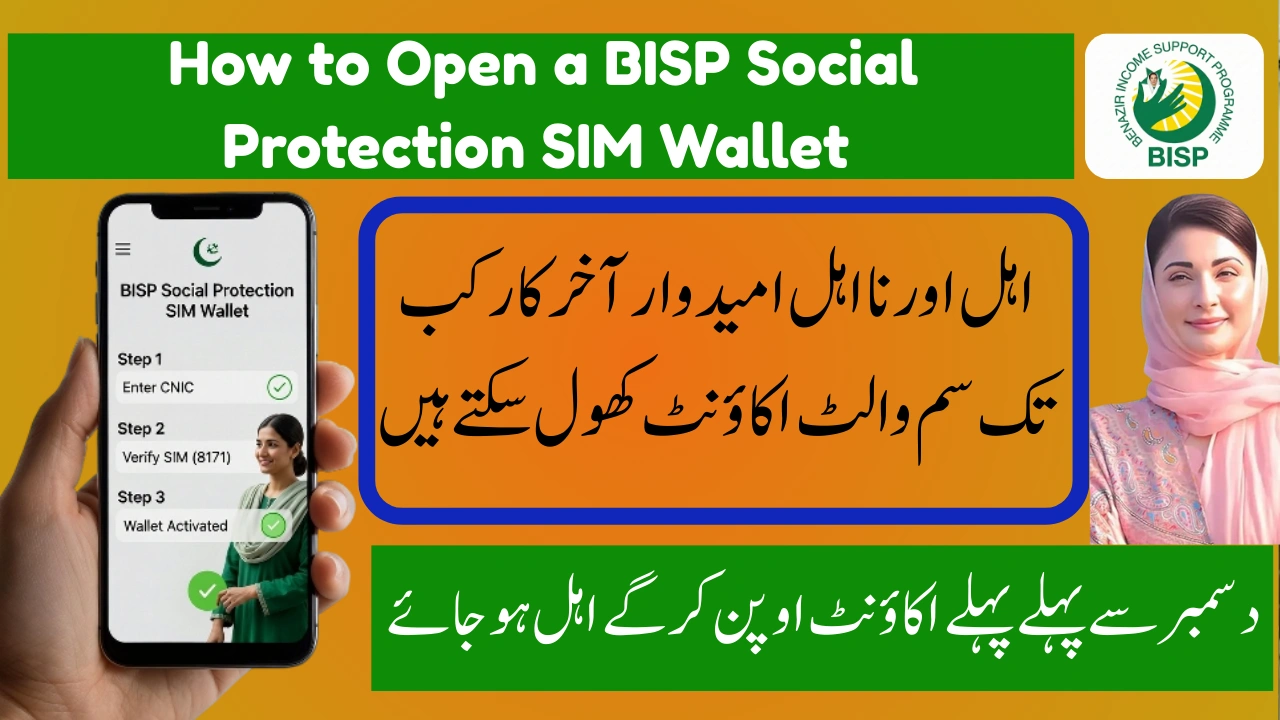
Step 1: Check Your SIM Registration
Use a SIM that is:
-
In your own name
-
Registered on your CNIC
If not, visit your mobile network franchise.
Complete biometric verification.
This step takes only a few minutes.
Step 2: Send CNIC to 8171
Open your mobile messages.
Type your CNIC number (no dashes).
Send it to 8171.
Wait for the reply message.
This message tells you:
-
Eligibility status
-
Wallet update
-
Next action
Step 3: Wait for Automatic Activation
If you are eligible:
-
The SIM Wallet activates automatically
-
No form is needed
-
No payment is required
Your wallet is now ready to receive money.
What Happens After Wallet Activation?
| Step | Result |
|---|---|
| CNIC Verified | Identity confirmed |
| SIM Linked | Wallet activated |
| Payment Sent | Money transferred |
| Cash Access | Withdraw anytime |
You can withdraw money from an authorized agent.
You can also keep money in the wallet safely.
Common Problems and Easy Solutions
-
No reply from 8171?
Wait and try again later. -
SIM not on CNIC?
Visit mobile franchise. -
Payment not received yet?
Payments come phase-wise.
Delay does not mean rejection.
Important Safety Tips (Must Read)
-
Never share your CNIC or OTP
-
Do not pay any agent
-
Ignore fake calls and messages
-
Trust only 8171
BISP services are always free.
Final Words – Why This Matters
The BISP Social Protection SIM Wallet saves time.
It saves money.
It protects your dignity.
By using the official method, you avoid stress and fraud.
This knowledge gives you confidence and control.
Stay informed.
Stay safe.
Follow only official BISP updates.
Frequently Asked Questions (FAQs)
1. How long does SIM Wallet activation take?
Usually a few minutes to a few days.
2. Is there any fee to open the BISP SIM Wallet?
No. It is 100% free.